
Frequently Asked Questions
Do you need answers about Pally or our OPC UA software?
You’re in the right place.
Below, you’ll find the most common questions we get asked, neatly organized to help you get the information you need quickly. Please let us know if you can’t find the answer to a question!
General
Are you looking for general info? Start here for all the basics.
A: There are many benefits to palletizing robots. For example, automating the palletizing task will reduce the tiring work for your employees. You also free up employees to do other, more valuable tasks for your business. Automating also leaves less room for error and downtime, which means better productivity! This article further explores many additional benefits of automated palletizing.
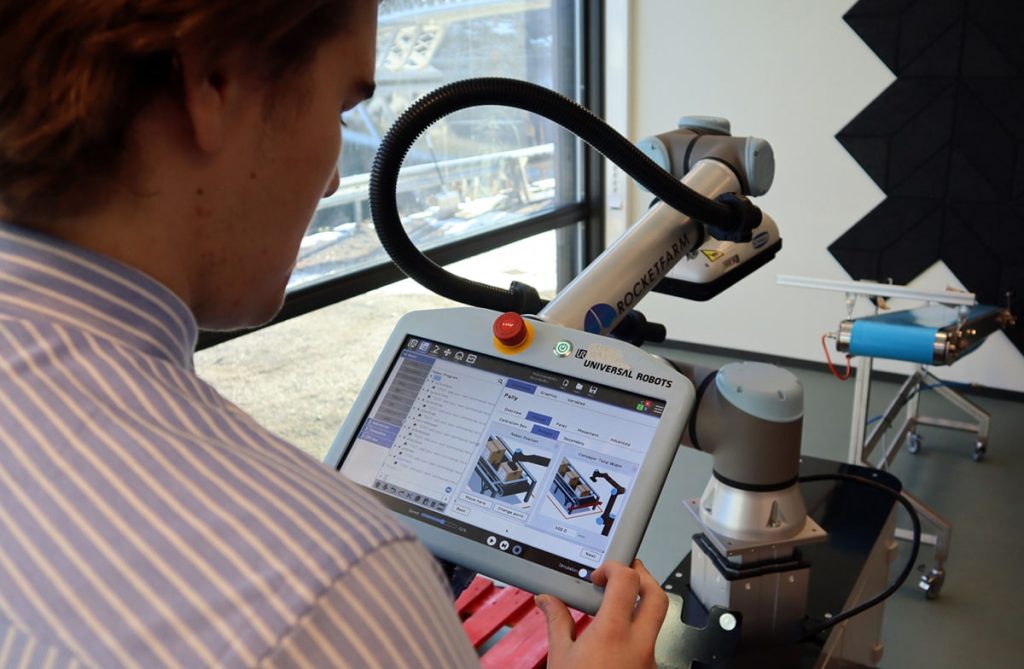
A: Pally is our easy-to-use palletizing software for Universal Robots robots. There are three main components: MyRobot.cloud (MRC), the Pally URCap, and the Pally Operator’s Panel (POP). MyRobot.cloud is our web-based palletizing robot management platform, where you can create your desired pallet layout and run simulations with your digital twin. The Pally URcap is the robot palletizing app, which enables palletizing, and the POP enables the operator to interact with the cobot through a touchscreen. Our software is easy to use and flexible, so you should be able to use Pally with very little training.
A: There are many benefits of a UR robot using Pally. First, it is easy to use and requires little training to operate. It’s a custom, affordable palletizing solution that delivers a positive ROI for most within a year. It only takes one day to install, requires minimal maintenance, and can quickly adapt to new projects. Moreover, the Pally software enables the robot to perform optimal movements, thereby prolonging its lifespan. If you are interested, this article looks at the benefits of automated palletizing.
A: For pricing, we would love to chat with you to discuss your requirements, as prices might vary depending on your needs. As a rule of thumb, most businesses achieve a positive return on investment after the first year of use.
A: We are partners with distributors and integrators worldwide who are ready to help install your palletizing solution. Even if your company is located in an area where we have no partners, we can still provide you with a solution. Contact us today, and we’ll find a solution for you and your company!
A: With MyRobot.cloud – The Fast Track to Cobot Palletizing, you can quickly contact solution providers based on your region. By entering only basic information about your product, the cobot palletizing search engine tool will help you find, verify, and contact available providers within one hour.
If you need further clarification on using our self-service platform, please don’t hesitate to contact us. We will get in touch with you shortly to discuss what a good solution is for you and your business. From there, we will connect you with one of our local partners, who will provide you with a turnkey solution.
A: You buy a Pally license by leaving your contact details here, and then we’ll get back to you as soon as possible with all the details.
A: It is pretty easy to learn! Our Pally Operator Panel makes it easy and intuitive for every single employee. After installing the solution in your facility, you should also receive training from the integrator. This article presents five tips to prepare employees for robot automation.
A: Creating a new pattern in MyRobot.cloud and uploading it to the palletizing robot is a simple workflow. After creating the pattern in MyRobot.cloud, download the .JSON file to a USB stick, and upload it to the Pally URcap via the Pally Operator Panel. You will complete the entire process within minutes and without significant operational downtime.
A: With the newest version of Pally, you can create patterns directly on the teach pendant. For patterns requiring customization, you need a Pally license with MyRobot.cloud Digital Twin access. Test how your pallet will look with your products in MyRobot.cloud.
A: Yes! Customize every layer and box for robot palletizing. Try editing your pallet in MyRobot.cloud.
A: Unlimited! Create as many unique patterns as you want. However, with 500MB of storage, you can fit up to 1000 patterns on your robot.
A: You can perform a feasibility test of your project to ensure your desired pattern works properly with Pally and the robot. All you have to do is leave your package data and pallet requirements in MyRobot.cloud Fast Track.
You will receive one (or more) Project Report(s) with Digital Twin Simulations by email within 1 hour.
A: The only thing we need is your box dimensions (weight, height, width, length). Other than that, feel free to customize your project in MyRobot to meet your specific needs. MyRobot.coud – The Fast Track to Cobot Palletizing.
A: In MyRobot.coud – The Fast Track to Cobot Palletizing, within one hour! With the Digital Twin Simulation, you’ll see how it works before placing your order for a palletizing solution.
A: In MyRobot.cloud Fast Track, you will receive a Digital Twin Simulation within one hour. Simulating your solution will involve testing it on a digital cobot palletizer. This digital solution runs on the same software and hardware as the physical robot, making it as close to reality as possible within the digital realm. If you can complete a task in our simulations, it is feasible in the real world. We can verify the project upfront by conducting simulations quickly and delivering the results within an hour.
A: It is very reliable, but don’t take our word for it. Instead, listen to what our end customers have to say!
“The UR robots have been running around the clock for two years without sick leave.“
– Knut Thomassen, Head of Production at Maskinpakking AS
“The robot palletizers are the robots we have with the highest operating time and lowest running costs.“
– Inghild Lysne Sanden, Factory Manager at Nortura Sogndal
Technical
Ready to dive deeper? Check out our technical FAQ section, where we explain the details.
A: The integrator will install a collaborative robot, meaning employees can continue working close by without affecting production. Once the physical palletizing solution is ready, the products can be stacked on pallets autonomously within minutes. As a result, production downtime will be reduced to a minimum.
A: You will get an error message to point you in the right direction. Please get in touch with the solution provider if the error message is unclear or if you cannot fix it. With a backup file of your system, we can quickly identify issues in our virtual simulation tool.
A: You can find the backup function under “Installation-Urcaps-Pally-Advanced.” Learn more in the Pally Knowledge Base.
A: Collaborative robots are specifically designed to work alongside human workers. As a result, they require little floor space or cages, making them particularly valuable for small- and medium-sized manufacturers with limited space. The smallest footprint for a Pally installation is 0.16 m² plus the space required for the pallets.
A: You only need an introductory course to operate a cobot palletizing solution using the Pally software. A cobot is designed to be easy to use through its simplistic interface and stands in contrast to traditional robots. However, if you are eager to learn more about editing settings on the cobot, we recommend UR’s Robot Academy.
A: Universal Robots promises 35.000 hours of use for their robots, which is equal to around four years if the robot is running 24/7! Using the Pally software, movements of the cobot will be optimized for your palletizing project, resulting in less tear on the cobot. Your cobot could, therefore, be operational for even longer than UR’s promise of 35.000 hours.
A: The UR robot is equipped with embedded sensors. Using OPC UA URcap, you can access these sensors and read their values in real-time, enabling predictive maintenance.
A: Pally can do approximately seven cycles/min within the collaborative settings. If the project allows for multi-grip, Pally can palletize 14 boxes/min with double grip, 21 boxes/min with triple grip, and so on.
A: Pally can lift as heavy as the robot can. Remember that the weight of the gripper is part of the total sum of kgs the robot can lift.
A: Pally is tailor-fit for robots from Universal Robots. You can use the hardware of your choice as long as it’s compatible with Universal Robots. Our distributors and integrators are ready to advise you on the best hardware setup.
A: Most businesses use Pally for cardboard boxes, but there are no limits to what Pally can palletize if you choose the right gripper for the job.
A: It is possible to move your palletizer around in your facility to palletize from various conveyor belts. Our software, Pally, is designed to handle the moving procedures.
A: Yes, user-friendliness is crucial to us. That’s why we have developed the Pally Operator Panel. Anyone with minimal training should be able to run the palletizing solution.
A: Yes, you can connect Pally to the Manufacturing execution system in your facility via our OPC UA solution.
A: Yes, we have enabled you to connect to Pally remotely.
FAQ for OPC UA URCap
This FAQ is available on our OPC UA Product Page.